Many coding models now let you set how hard they think before they answer — or they decide for you. The dial goes by names like reasoning effort, thinking budget, or effort level, and it changes two things you pay for: tokens and time. This post explains how effort levels are priced, what turning the dial actually changes, and a practical rule for when to touch it.
How thinking budgets work#
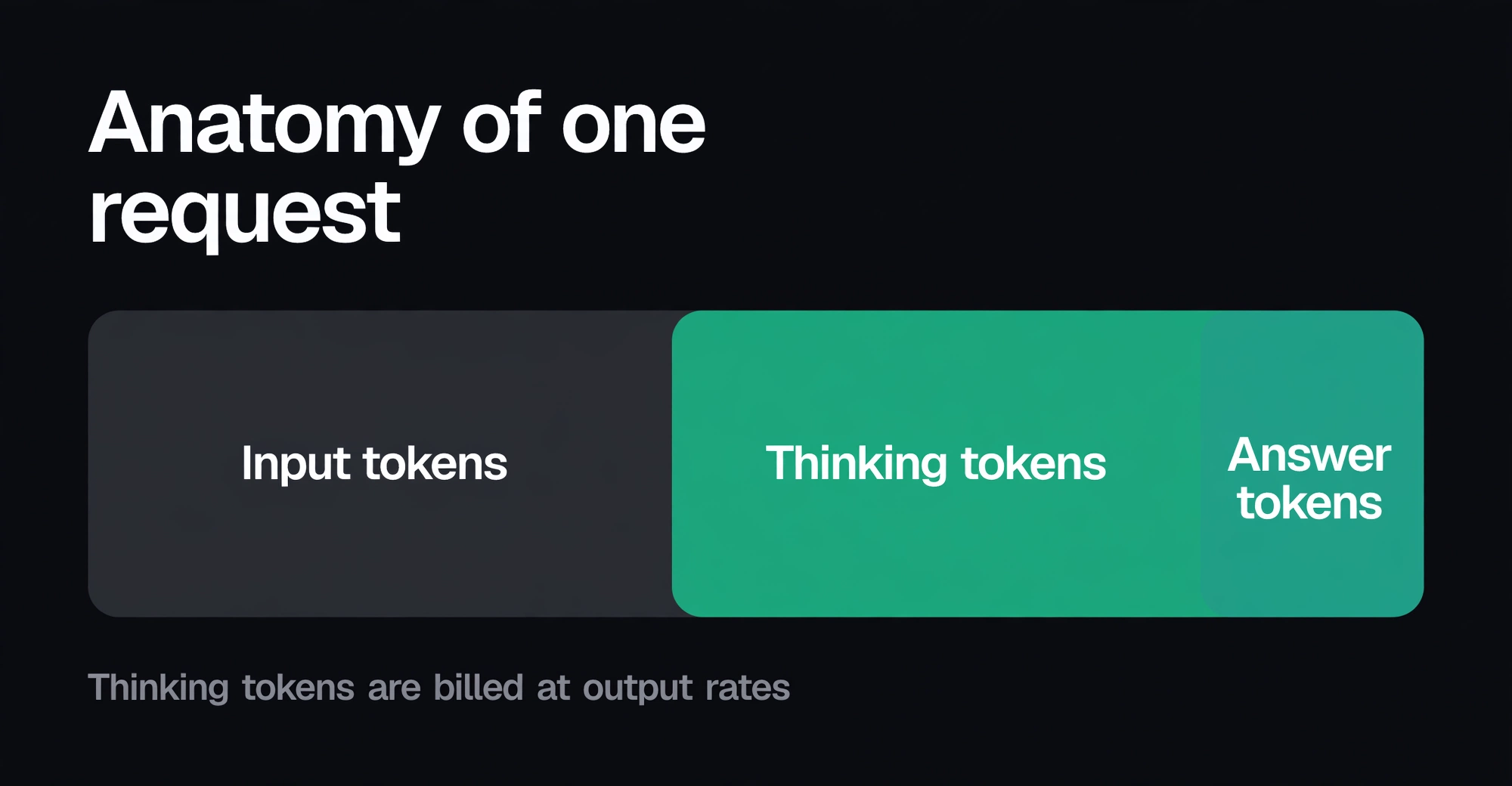
When a model "thinks," it generates reasoning tokens before the answer you see. Those tokens are invisible in most tools, but they are billed — at output rates, the expensive side of the price list. A thinking budget caps how many of those tokens the model may spend on one turn.
Providers expose the dial in three styles:
- Always on. The model reasons on every request and you can't turn it off. GLM-5.3 works this way.
- Adaptive. The model decides how much to think per request, sometimes with a default intensity you can override. Claude Sonnet 5.5 ships with adaptive thinking on at high effort.
- Settable. You choose low, medium, high — or max. DeepSeek V4 Pro offers low, high and max; Kimi K3 offers low, high and max, with max as the default.
That last default is the one to notice. On Kimi K3, every routine turn — a quick edit, a short explanation — runs at maximum thinking effort unless you lower it, on a model that charges $15 per million output tokens. Defaults are a pricing decision wearing a product decision's clothes.
What the dial costs on current models#
List prices checked 7 October 2026, USD per million tokens. Thinking tokens bill at the output rate.
| Model | Effort control | Default | Output (thinking bills here) |
|---|---|---|---|
| Kimi K3 | Low / high / max | Max | $15.00 |
| Claude Sonnet 5.5 | Adaptive (overridable) | High | $10.00 |
| DeepSeek V4 Pro | Low / high / max | — | $3.96 peak / $1.98 off-peak |
| GLM-5.3 | Always on | Always on | $4.40 |
| MiMo V2.6 Pro | Reasoning model | — | $0.87 |
Two things stand out. First, the output price is the multiplier on every thinking token, so the dial matters most on models with expensive output: the same 20K thinking tokens cost $0.30 on Kimi K3 and under two cents on MiMo V2.6 Pro. Second, DeepSeek's time-of-day pricing applies to thinking too — in Dhaka, peak is 07:00–10:00 and 12:00–16:00 on weekdays, so heavy reasoning during those hours bills at the peak output rate.
What raising the effort actually changes#
Three things, in order of certainty:
- Token consumption. Higher effort means more thinking tokens, billed as output. This part is arithmetic, not opinion.
- Latency. More thinking tokens take longer to generate. On long-horizon agent runs this compounds: every turn waits on the previous turn's thinking.
- Answer quality. This is the uncertain one. More thinking helps on multi-step reasoning — debugging, planning, architecture trade-offs — and does little for routine turns like formatting or small edits. Anyone who gives you a universal "high effort is twice as good" number is selling something; the gain depends on your tasks, so measure it on yours.
The honest way to think about it: effort is a per-task cost multiplier on output. The question is never "is max thinking good" but "does this task earn back its thinking tokens."
Worked example: the same task at low and high effort#
These are assumptions to show the arithmetic, not measurements. Replace them with your own figures.
- The task: one agent turn with 200K fresh input tokens and a 5K-token answer.
- Low effort adds 2K thinking tokens; high effort adds 25K. (Illustrative — your models and tasks will differ.)
- Thinking bills at the output rate.
| DeepSeek V4 Pro (peak) | Kimi K3 | |
|---|---|---|
| Input: 0.2M | $0.13 | $0.60 |
| Low effort: 7K output tokens | $0.03 | $0.11 |
| Low total | $0.16 | $0.71 |
| High effort: 30K output tokens | $0.12 | $0.45 |
| High total | $0.25 | $1.05 |
On Kimi K3, flipping one turn from low to high effort adds about $0.34 — nearly half the turn's cost again. On DeepSeek at peak it adds about $0.09. Same dial, very different bill, because the output price is the multiplier. This is also why Kimi's max-by-default matters: on that model, not touching the dial is itself an expensive choice for routine work.
When to lower it, when to raise it#
A practical default that survives contact with real agent workloads:
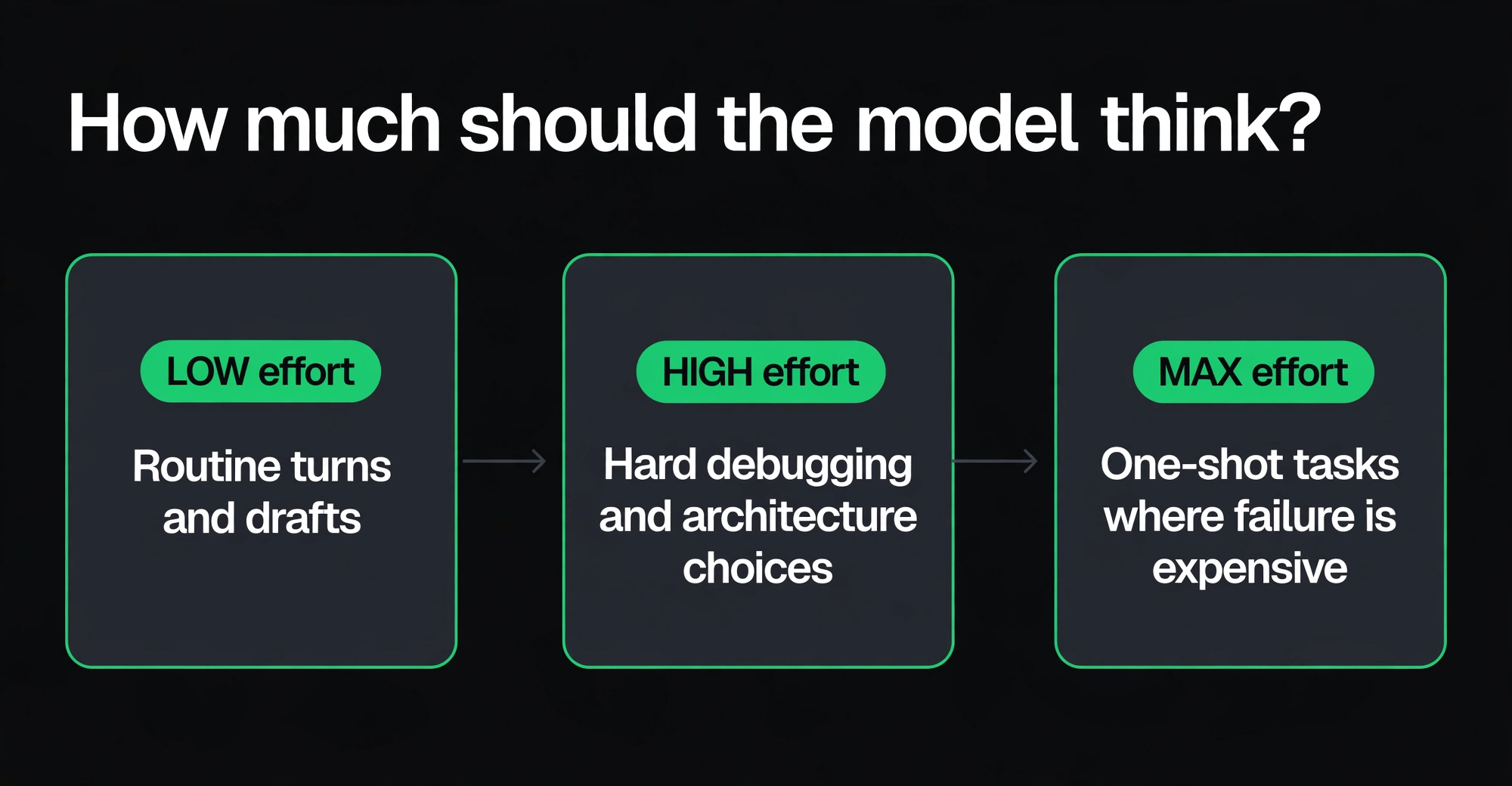
- Lower it for routine turns. Drafts, formatting, small edits, first passes — the tasks where the answer was never going to need deep reasoning. This is most of an agent's turns.
- Raise it for hard reasoning. Debugging a subtle bug, designing an approach, reviewing a tricky diff — the turns where a wrong answer costs you another three turns.
- Max it for one-shot, failure-is-expensive tasks. If there's no cheap retry — a migration plan, a security-sensitive change — spend the thinking tokens once rather than the debugging tokens later.
Raise effort before you escalate models#
Our frontier models guide describes the escalation pattern: try a cheap model first, and send the task to a stronger model only if an objective check fails. Effort levels slot into that pattern as a middle rung:
- Cheap model, low effort — the default for routine turns.
- Cheap model, high effort — the task needs thinking, not a smarter model.
- Frontier model — the check still fails.
Step 2 is the one teams skip. Raising effort on a cheap model often costs less than one turn on a frontier model, and it keeps the prompt cache warm — caches are per model, so switching models pays full input price again (see prompt caching explained).
Put a ceiling on it#
Thinking tokens are the easiest spend to lose track of, because they're invisible in most tools. Two guardrails from our own setup:
- Per-key spend caps. Thinking-heavy workloads get their own key with a monthly cap; requests past it get
403 monthly_spend_cap_exceeded. See spend caps for coding agents. - Usage alerts at 50%, 75% and 90%, so a runaway reasoning loop warns you before it bills you. Export the usage CSV after the first month and check what share of output was thinking — if you can't tell, that's the problem.
To estimate what effort levels do to a monthly bill before you commit, run the method in how to estimate your monthly token bill with your thinking-token share included. The full per-model price list is in the catalog.
Reasoning effort FAQ#
Are thinking tokens billed as output tokens? Yes. Every major provider bills reasoning tokens at the output rate — the expensive side of the price list. That's why the effort dial matters most on models with pricey output, like Kimi K3 at $15 per million tokens.
How much does maximum effort cost per task? It depends on the model's output price and how many thinking tokens it generates. In the worked example above, flipping one turn from low to high effort added about $0.34 on Kimi K3 and $0.09 on DeepSeek V4 Pro at peak rates. Measure thinking-token counts on your own workload for an exact number.
Should I just leave effort on max? Not for routine work. Max effort on every turn means paying the highest thinking-token price on drafts, formatting, and small edits — the turns that never needed deep reasoning. Reserve high and max effort for hard debugging, architecture decisions, and one-shot tasks where failure is expensive.
Does switching models reset the thinking budget? Switching models resets the prompt cache, which usually costs more than the thinking budget itself — the new model pays full input price on the whole context. That's another reason to raise effort on your current model before escalating to a stronger one. See prompt caching explained.
List prices checked 7 October 2026. Promotional prices and model defaults change; the maker's page is the authority for list prices, and the model catalog for prices on Tokens.
Sources: Kimi pricing · Anthropic pricing · DeepSeek pricing · Z.ai pricing · Xiaomi MiMo